

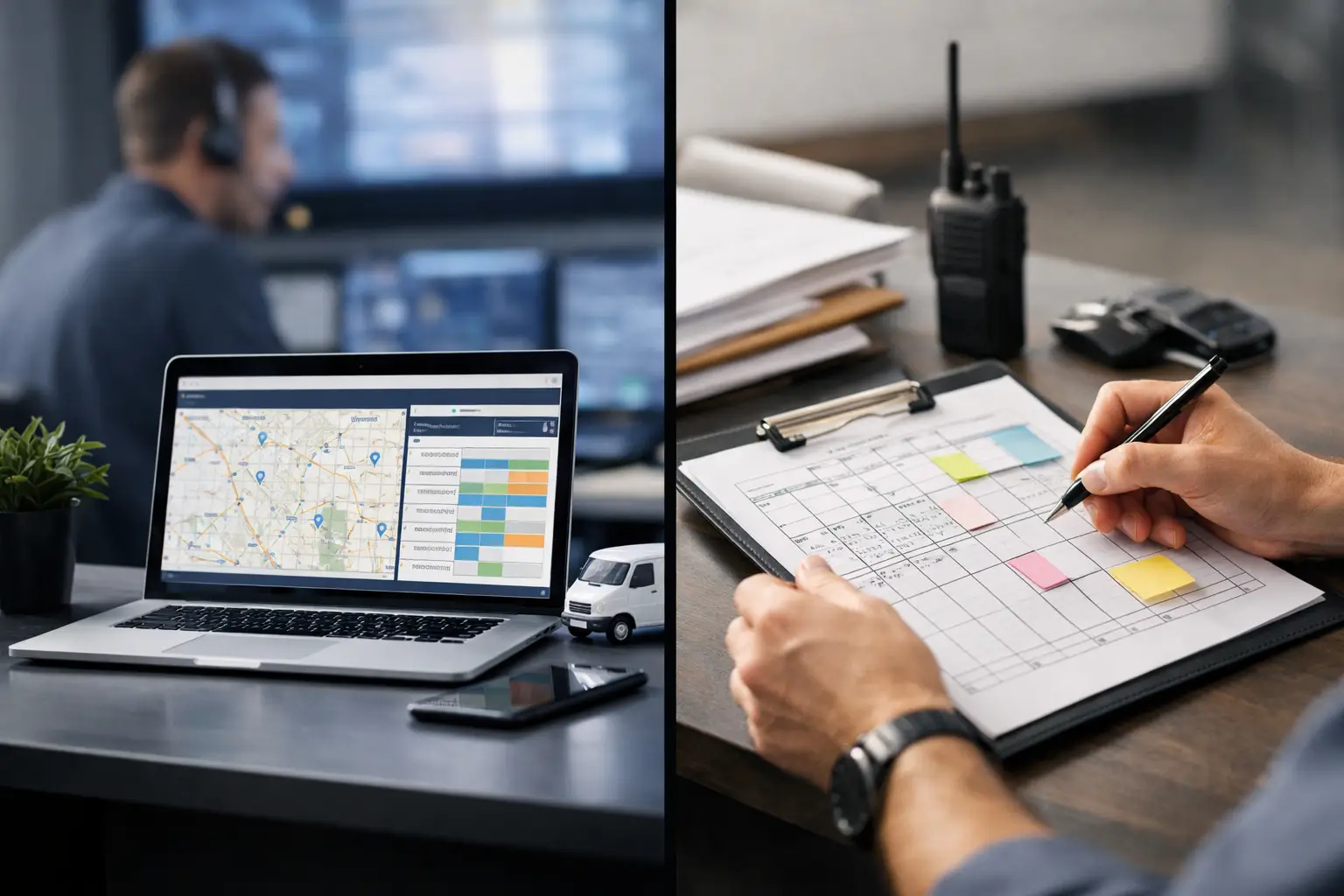
Dispatch Software vs Manual Scheduling
RoadWarrior Team
At 6:15 a.m., the day can already be off track. A dispatcher is texting drivers, a spreadsheet has three last-minute changes, one customer moved their time window, and somebody copied the wrong address into a map app. That is where dispatch software vs manual scheduling stops being a theory and becomes a profit problem.
For route-based businesses, scheduling is not just admin work. It decides how many stops you can finish, how many miles you burn, how often drivers call in for help, and whether customers get a confident ETA or a vague "we're on the way." If your team runs more than a handful of stops a day, the gap between manual planning and software-assisted dispatch gets expensive fast.
Dispatch software vs manual scheduling: what really changes
Manual scheduling usually means some mix of spreadsheets, whiteboards, phone calls, text threads, and basic map tools. It can work when volume is low and the same person handles the same territory every day. It is familiar, cheap to start, and flexible in the moment.
But familiar does not always mean efficient. Manual scheduling depends heavily on one person's memory, local knowledge, and attention to detail. If that person is out sick, overloaded, or managing multiple drivers at once, little errors start stacking up. An address gets entered twice. Two jobs are assigned to opposite ends of town. A new stop gets squeezed in without rethinking the whole route.
Dispatch software changes the job from hand-building routes to managing exceptions. Instead of deciding every stop order manually, you load stops, apply business rules, assign drivers, and let the system optimize the route sequence. The dispatcher still stays in control, but the heavy lifting moves to software that can process traffic, stop density, time windows, and route constraints much faster than a person can.
That shift matters because speed is not the only win. Better route planning usually means fewer miles, less fuel, fewer delays, and less back-and-forth with drivers during the day.
Where manual scheduling still makes sense
Manual scheduling is not automatically wrong. For a solo operator with eight predictable stops in the same neighborhood, software may not feel urgent. If your routes rarely change, your customer windows are flexible, and your business is still small, manual planning can be good enough for a while.
It also works when the dispatcher has deep territory knowledge that software has not been configured to reflect yet. A veteran route manager may know which apartment complex always causes delays, which loading dock opens late, or which customer likes to be visited first. That kind of knowledge matters.
The catch is that manual scheduling scales badly. What works for one driver and ten stops often breaks at three drivers and forty stops. Once stop counts rise, same-day changes increase, or customers expect tighter communication, manual methods start consuming too much time and too much attention.
Why dispatch software usually wins on daily execution
The biggest advantage of dispatch software is not that it looks more advanced. It is that it helps teams execute better under real-world pressure.
Routes change. Customers cancel. New jobs come in. Traffic builds. Drivers finish early or fall behind. Manual systems can react, but every adjustment takes effort. Somebody has to compare options, call the driver, update the sheet, and hope everyone is working from the latest version.
Dispatch software reduces that friction. A dispatcher can rebalance work, update routes, and give drivers clearer instructions without rebuilding the day from scratch. Drivers get a cleaner view of what comes next, which cuts confusion and wasted motion. That is how teams crush their routes instead of spending the afternoon fixing preventable mistakes.
For businesses with delivery, field service, or sales routes, this matters because execution problems rarely show up as one dramatic failure. They show up as ten small losses in a single day: extra miles, longer idle time, missed windows, duplicate communication, and jobs that spill into overtime.
Cost: the obvious expense and the hidden one
A lot of businesses compare dispatch software to manual scheduling by asking one question: what does the software subscription cost?
That is fair, but it is incomplete. Manual scheduling may look free because the tools are already in place. The spreadsheet is built. Everyone has a phone. The dispatcher knows the territory. But the real cost lives in labor time, fuel waste, route inefficiency, and service inconsistency.
If a dispatcher spends one to two hours every morning building routes by hand, that is labor cost. If drivers zigzag across a service area because stops were not sequenced well, that is fuel cost. If poor scheduling causes late arrivals or missed jobs, that is customer cost. If growth depends on hiring another coordinator just to keep up with route planning, that is scaling cost.
Software adds a visible line item. Manual scheduling hides several expensive ones.
That is why many teams find that software pays for itself before they even count the softer benefits like lower stress and fewer customer complaints.
Visibility and accountability are the real dividing line
The strongest argument for dispatch software is often visibility. Manual scheduling can assign work, but it usually cannot show the full picture in real time. A manager may know what was supposed to happen, not what is happening now.
With dispatch software, you have a better shot at seeing route progress, completed stops, delays, and reassignments in one place. That visibility improves decision-making during the day, not just after the fact.
It also changes accountability. Drivers are not left guessing which text message has the latest update. Dispatchers are not relying on memory to confirm what changed at noon. Everyone is working from the same operational view.
For growing businesses, this is huge. Once you move beyond a very small team, tribal knowledge stops being a system. You need repeatable workflows that do not collapse when volume spikes or a key employee takes a day off.
Dispatch software vs manual scheduling for different team sizes
For a one-person operation, the decision depends on route complexity more than headcount. If you run a simple territory with a small number of stops, manual planning may hold up. But if your day includes 20, 30, or 50 stops, route optimization alone can save enough time and gas to justify software.
For small teams, software starts making a bigger difference because coordination costs rise quickly. One dispatcher supporting several drivers needs a faster way to assign work, adjust plans, and keep everyone aligned.
For larger fleets or field teams, manual scheduling is usually a bottleneck. At that point, the question is less about whether software helps and more about whether your current process is slowing growth, burning labor, and hurting service levels.
The trade-off: software needs setup and process discipline
Software is not magic. Bad data still creates bad routes. If addresses are wrong, service times are unrealistic, or dispatch rules are unclear, the output will suffer. Teams also need some buy-in. Drivers and coordinators have to trust the workflow enough to use it consistently.
There is also a setup phase. You may need to define territories, import stops, train dispatchers, and decide how route changes will be handled during the day. Some businesses resist this because manual methods feel faster in the short term.
But that short-term convenience often blocks long-term efficiency. A little structure upfront can save hours every week once the system is in motion.
What to look for if you're ready to move on from manual scheduling
If your team is considering a switch, focus less on flashy features and more on operational fit. You want software that is easy to learn, fast to use, and strong on the basics: route optimization, driver assignment, live updates, and support for the number of stops you actually run.
You should also think about how your team works in the field. Drivers need mobile-friendly navigation and clear stop order. Dispatchers need a fast way to make changes without creating confusion. Managers need enough visibility to spot delays and keep the day on track.
This is where a platform like RoadWarrior can make sense for teams that need practical route optimization and dispatch coordination without adding unnecessary complexity. The best tools do not just generate routes. They help real businesses finish more jobs with less chaos.
So which one is better?
In the debate around dispatch software vs manual scheduling, the honest answer is that manual planning can work for simple operations, at least for a while. But once routes get dense, teams grow, or customer expectations tighten, software usually becomes the stronger business decision.
Not because it replaces human judgment. Because it gives your team better leverage. Your dispatchers spend less time dragging stops around a spreadsheet. Your drivers spend less time backtracking. Your business spends less money turning preventable inefficiency into a daily habit.
If your current process depends on heroic effort every morning, that is your signal. The right dispatch system does not just organize the day. It gives your team a cleaner path to finish faster, spend less, and get home earlier.
Tags